No. Search Console and the apps’ own analytics measure different things. Search Console shows how people find your Instagram, TikTok, YouTube or X content through Google Search: the searches they typed, the clicks, and the countries. Instagram Insights and TikTok’s analytics show what happens inside each app: views, reach, followers and engagement.
Neither one shows the other’s data, so most creators and brands need both.
Search Console added these “platform properties” in 2026. Here’s what each tool tells you, where they overlap, and how to use them together.
What each tool measures
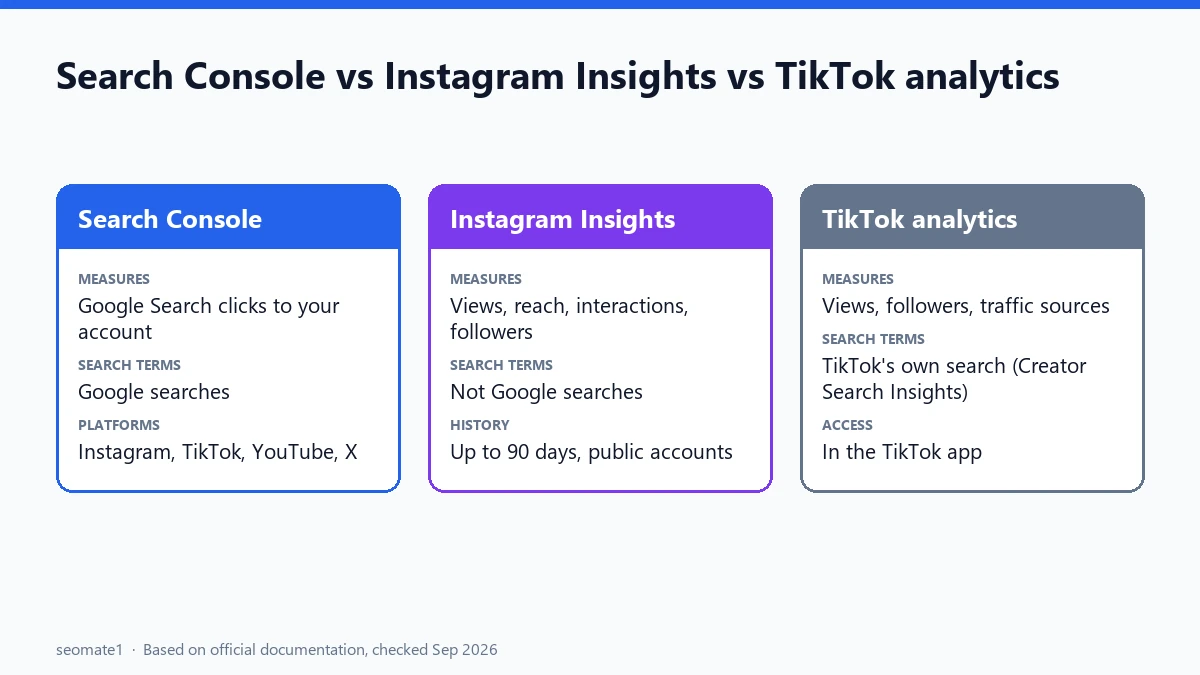
| Search Console (platform property) | Instagram Insights | TikTok analytics | |
|---|---|---|---|
| Traffic it measures | Clicks from Google Search to your account and posts | Activity inside Instagram | Activity inside TikTok |
| Search terms | Google searches that led people to you | Not Google searches | Searches inside TikTok (Creator Search Insights) |
| Main numbers | Clicks, top content, countries, search terms | Views, reach, interactions, followers | Views, followers, traffic sources, search analytics |
| History | Last 28 days overview, plus date filters | Up to the last 90 days | Varies by report |
| Who can use it | Anyone who verifies the account in Search Console | Public accounts | Account owners in the app |
The Search Console details come from Google’s guide to analyzing social and video content. The Instagram details come from Instagram’s help page on insights. The TikTok details come from TikTok’s Creator Search Insights page.
What Search Console adds that the apps can’t
Google says platform properties work for TikTok, Instagram, X and YouTube. Once you add and verify an account, Search Console shows:
- Clicks from Google Search over the last 28 days, and how they’re split across different parts of Google Search
- Your top content by Google traffic
- The search terms people used on Google to find your profile or posts
- Countries those visitors came from
- 24-hour data, so you can spot a search term suddenly sending people to a new post
- Query groups, showing top, trending-up and trending-down groups of searches
None of this appears in Instagram Insights or TikTok’s analytics, because those apps don’t see what someone typed into Google before arriving.
What the apps show that Search Console can’t
Search Console only sees the Google side. It can’t tell you:
- How many people saw a Reel or video inside the app, or how far they watched
- Reach and followers, or how your audience is growing
- Likes, comments, saves and shares
- What people searched for inside TikTok or Instagram. TikTok’s Creator Search Insights covers TikTok’s own search, not Google’s.
Instagram Insights, for example, covers “any time period within the past 90 days”. It needs a public account, and audience demographics only appear once you reach or engage over 100 viewers.
How to use them together
The value comes from combining the two. Here’s a simple routine:
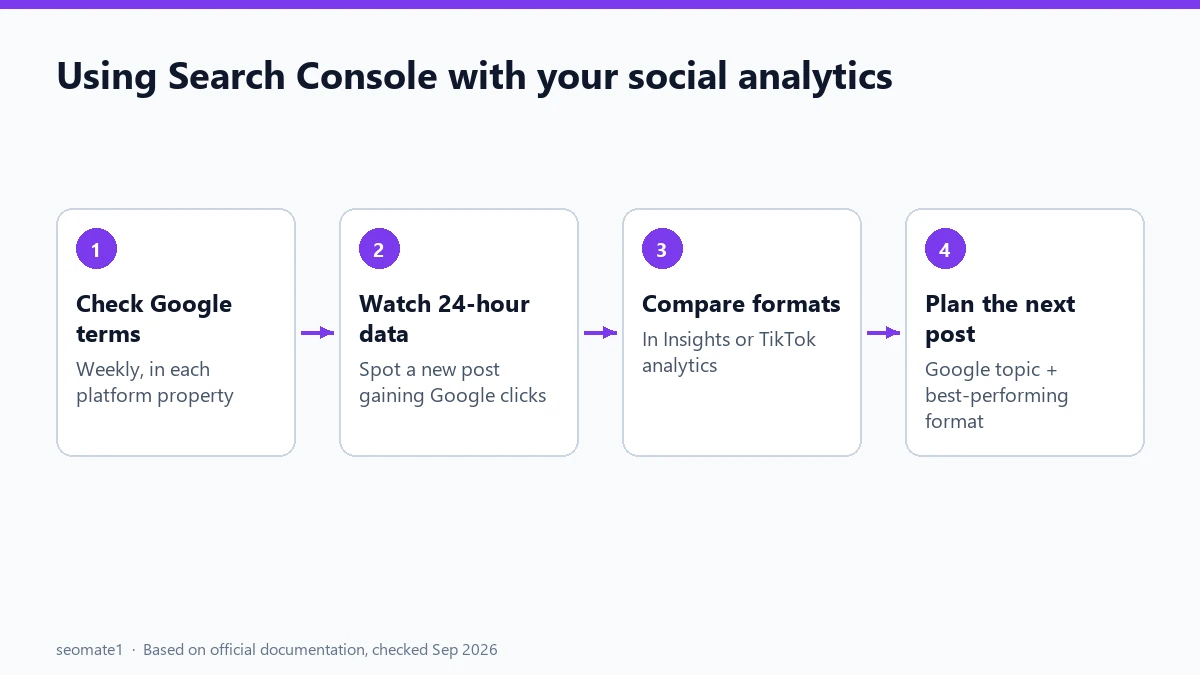
- Weekly: check Search Console’s search terms for each account. Look for Google searches you didn’t expect. These are topics people want answered.
- Check the 24-hour data after posting. If a new post starts getting Google clicks for a search term, make a follow-up on the same topic.
- Compare formats in the app. Use Insights or TikTok analytics to see which format (Reel, carousel, short video) kept people watching.
- Plan the next post around a Google search term (the topic) and your best-performing format (from the app).
A quick example
Say a bakery’s Instagram account sees the Google search “sourdough starter not rising” in Search Console, bringing clicks to an old Reel. Instagram Insights shows that Reels with step-by-step text overlays keep people watching longest. The next post writes itself: a step-by-step Reel that answers exactly that search. This is an illustration of the process, not data from a real account.
Setting up a platform property
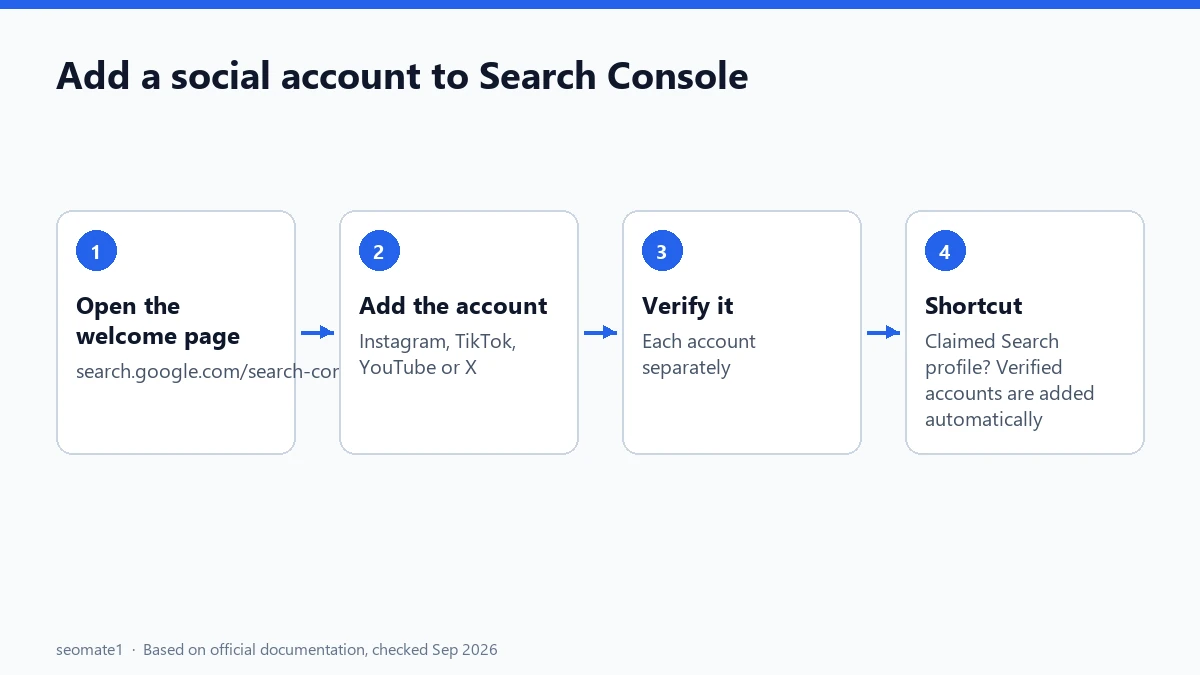
Google’s guide says you add and verify each account separately from the Search Console welcome page. If you’ve already claimed a Google Search profile, your verified accounts are added to Search Console automatically.
Once it’s set up, see how to compare YouTube Shorts and long videos in Search Console using the same data. If you have a Search profile, it’s also worth knowing how the Search Profile badge compares with the Preferred Sources button.
Common mistakes
- Expecting app metrics in Search Console. You won’t find reach, likes or followers there.
- Treating TikTok search and Google search as the same thing. They’re different audiences with different search terms. Check both.
- Ignoring old posts. Search Console often shows older posts still getting Google clicks. Those are good candidates for a refresh or a follow-up.
- Adding only one account. Each platform is a separate property. Add every account you want to track.
FAQ
Is Search Console free for social accounts?
Yes. Search Console is free, including platform properties.
Can I see Facebook in Search Console?
Google’s guide lists TikTok, Instagram, X and YouTube for platform properties. Facebook isn’t on that list.
Does Search Console show Instagram Reels and posts separately?
Not as separate reports. Google’s guide suggests comparing them by URL: Reels use /reels/ and posts use /p/ in their addresses.
Will Search Console help my posts rank on Google?
Not by itself. It shows you what already works in Google Search, so you can make more of it.
Last checked against Google’s, Instagram’s and TikTok’s documentation on 24 September 2026.
Make it easier to find our SEO, AI search and digital marketing coverage in Google.

Nadir Yaqoob
Nadir Yaqoob is the administrator and SEO contributor at SEOMate1, covering SEO, AEO, GEO, AI search, software, and digital marketing. I write practical, research-driven content on search strategies, emerging technologies, and digital workflows to help businesses improve their online visibility and growth.