
If your site doesn’t appear when you search for it in Google’s source preferences tool, the most likely reason is that it doesn’t publish fresh content often enough. Google says “any website that publishes fresh content is eligible”. Two other common causes: your site lives in a subfolder (like example.com/blog), which isn’t supported, or you searched in a way the tool doesn’t match.
If your site does appear but readers don’t see a “preferred” label in AI Mode, check that it isn’t excluded from Search generative AI features.
Below are the seven causes we know of, from the most common to the least, with what to do about each one.
How Preferred Sources works, in 30 seconds
Preferred Sources lets a Google user pick sites they want to see more of. Google’s Preferred Sources guide says that after someone selects your site, your content is more likely to appear in their Top Stories, marked with a “preferred” badge. It can also carry that badge in AI Mode and AI Overviews for the same person.
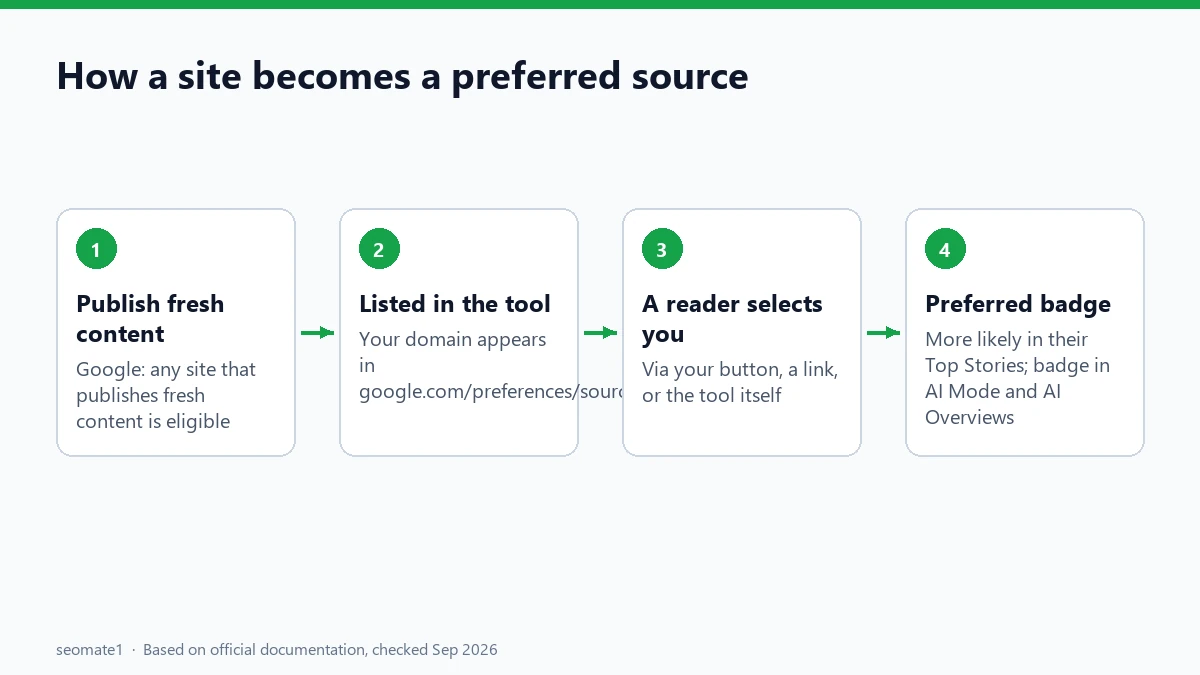
There’s no application form. A site either appears in the tool or it doesn’t, and then each reader decides for themselves. Google said in May 2026 that people are twice as likely to click through to a site they’ve marked as preferred. That’s why it’s worth fixing if you’re missing.
Cause 1: Your site doesn’t publish fresh content
Google’s announcement is short on detail, but clear on one point: “Any website that publishes fresh content is eligible.”
Google doesn’t say how often counts as “fresh”. In practice, a site that last published months ago, or only has static pages (a homepage, a services page, a contact page), is unlikely to be treated as a source of new content.
What to do: Publish new articles regularly for a few weeks, then search for your site in the tool again. Pages that update often, such as news, guides that follow product changes, and regular analysis, match what Top Stories shows.
Cause 2: You’re checking a subfolder
Google only supports domains and subdomains. From its guide: https://www.example.com/ and https://code.example.com/ are eligible, but https://www.example.com/blog isn’t.
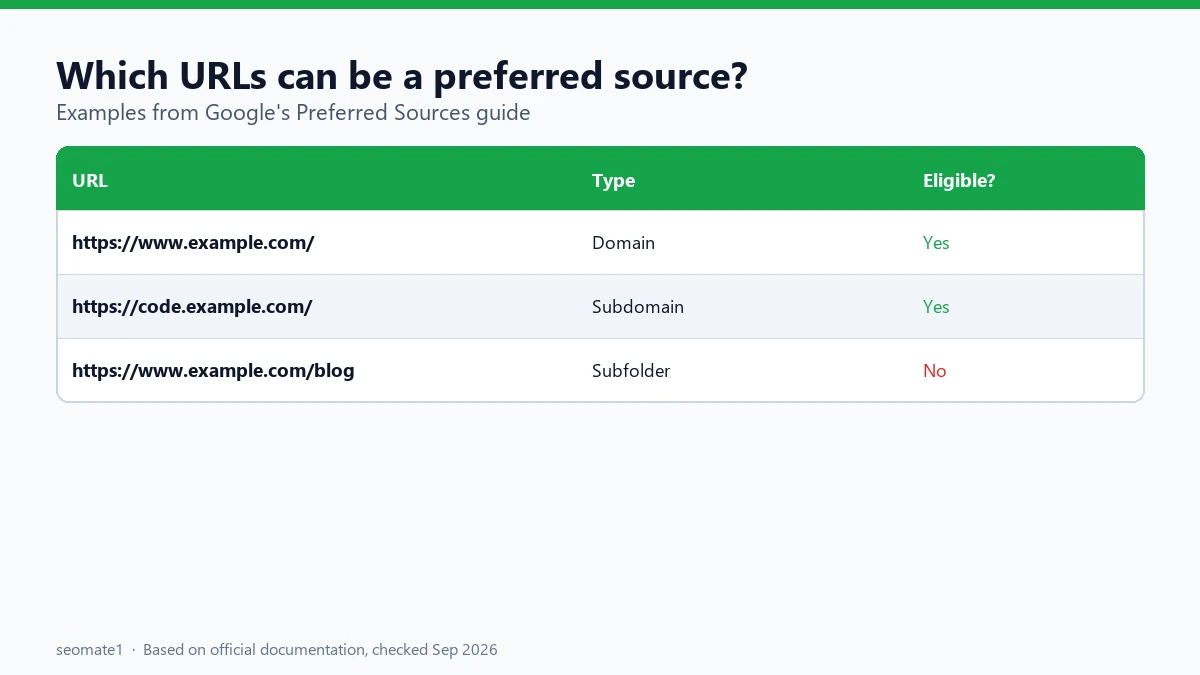
What to do: Search for the domain itself, not the blog folder. If your blog lives at example.com/blog, the whole of example.com is the source. If you want the blog to be a separate source, it would need its own subdomain (like blog.example.com). Moving a blog is a big SEO change, so don’t do it only for this.
Cause 3: You searched in a way the tool doesn’t match
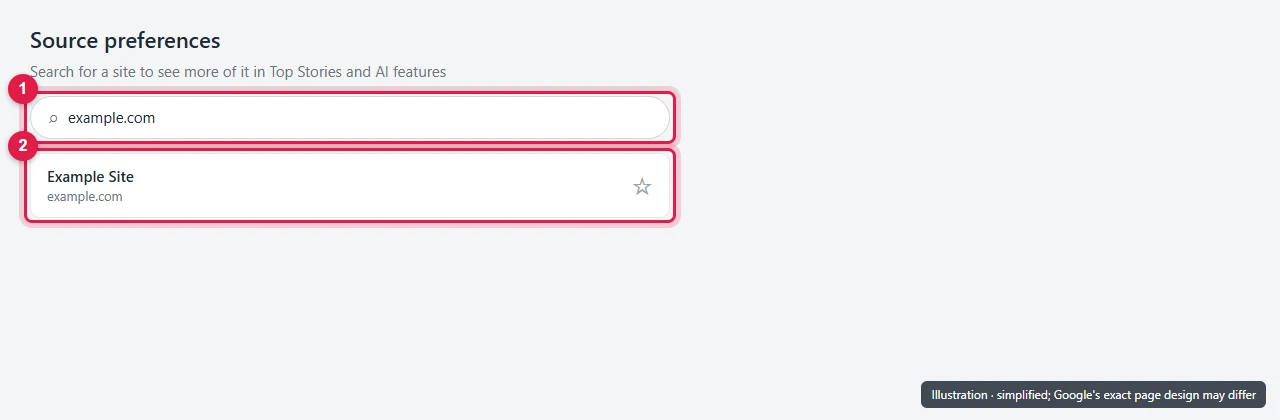
The tool has a search box, and Google tells you to “enter your site in the tool’s search box” to check. If a search comes back empty, it’s worth trying a few versions before deciding you’re not listed:
- the domain without
https://orwww(for example,example.com) - your site’s brand name, as it appears in search results
- the subdomain, if your content lives on one
What to do: Try all three. If one of them finds your site, you’re listed. Use the domain form in any button or link you create.
Cause 4: You’re not signed in to Google
The source preferences tool works with a Google account. When we opened google.com/preferences/source in a browser that wasn’t signed in (on 24 September 2026), it sent us straight to the Google sign-in page.
What to do: Sign in to a Google account, then open the tool again. This also matters for your readers. Someone who isn’t signed in will be asked to sign in before they can add you.
Cause 5: The site is too new for Google to know it well
This one is our reading rather than a documented rule. Google doesn’t publish a minimum age or size. But the tool can only list sites Google already knows about, and a brand-new site may not yet have enough pages indexed, or enough history.
What to do: Make sure Google is indexing your pages. Check a few URLs with the URL Inspection tool in Search Console, and submit your sitemap. Then keep publishing and check the tool again after a few weeks.
Cause 6: You see it in Top Stories, but not in AI Mode
This isn’t a listing problem, but it’s often reported as one. Google’s guide says that for your content to show as a preferred source in AI Mode and AI Overviews, your site “must be included in Search generative AI features in Search Console”.
If you or someone on your team set the Search generative AI control to Exclude, you keep the Top Stories benefit but lose the AI Mode and AI Overviews one.
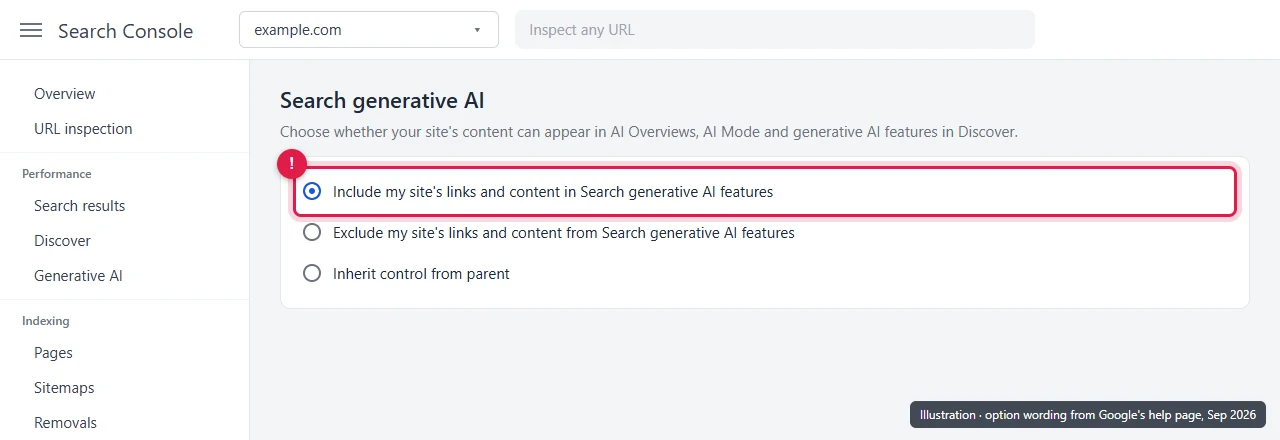
What to do: In Search Console, go to Settings → Search generative AI and check it’s set to Include. If it’s set to “Inherit control from parent”, check the parent property too. Before changing anything, read what the Include and Exclude options change.
Cause 7: You’re listed, but readers still don’t see you more
Being selectable is only step one. Preferred Sources only changes results for the people who picked your site. Everyone else sees normal results. Even for those readers, your content still has to be relevant to what they search for.
What to do: Ask your loyal readers to add you. The easiest way is Google’s button on your site. Here’s how to add the Preferred Sources button in WordPress without a plugin. You can also share the plain link, https://www.google.com/preferences/source?q=yourdomain.com, in your newsletter or social profiles.
Quick checklist
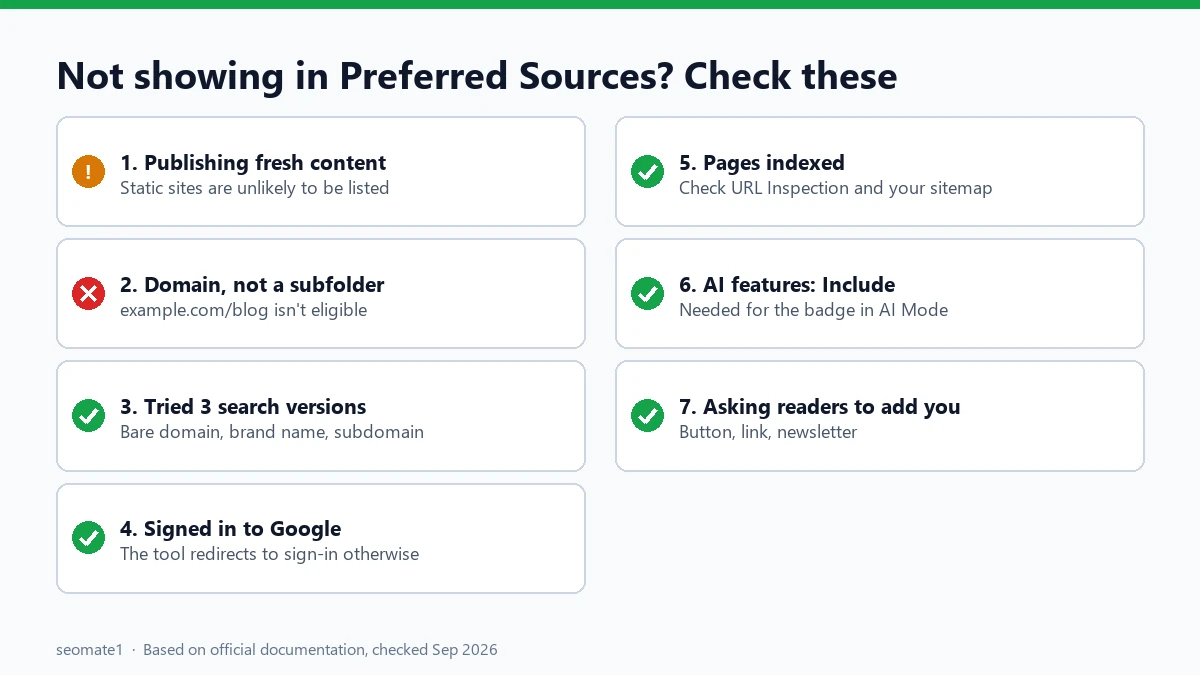
- Are you publishing new content regularly?
- Are you searching for the domain, not a subfolder?
- Did you try the bare domain, the brand name, and any subdomain?
- Are you signed in to Google?
- Is Google indexing your pages yet?
- For AI Mode badges: is Search generative AI set to Include?
- Are you actually asking readers to add you?
FAQ
Is there a form to apply for Preferred Sources?
No. Google doesn’t offer one. Sites appear in the tool on their own when Google’s systems treat them as a source of fresh content.
Does Preferred Sources work outside the US?
Yes. Google’s guide says it works for Top Stories in all languages where Google Search is available, and in AI Mode and AI Overviews wherever those features are available.
Does being a preferred source improve my rankings?
Not for everyone. It changes what the people who picked you are more likely to see. It isn’t described as a general ranking boost.
Is this the same as the Search Profile badge?
No. The badge is for creators with a Search profile and helps people follow you in Discover. See how the Search Profile badge compares with the Preferred Sources button.
Last checked against Google’s documentation on 24 September 2026. Sign-in behaviour tested on 24 September 2026.
Make it easier to find our SEO, AI search and digital marketing coverage in Google.

Nadir Yaqoob
Nadir Yaqoob is the founder and editor of SEOMate1. He has more than 10 years of experience in SEO, and today focuses on AI search: helping SaaS and e-commerce brands stay visible in Google's AI Overviews and AI Mode, and turn search traffic into leads. He's based in Lahore, Pakistan.