
Has your GSC (Google Search Console) validation for Crawled – currently not indexed sat at “Started” for weeks, or keeps failing? It usually isn’t broken. Google says validation “typically takes up to about two weeks, but in some cases can take much longer”.
This status also isn’t an error you can fix with one change. It means Google crawled the page and chose not to index it for now. Validation only passes when Google decides those pages are worth indexing. Improve the pages first, then validate.
Also worth knowing: you don’t have to validate at all. Google says it can detect fixed issues “even if you never click Start validation”.
What “Crawled – currently not indexed” actually means
Google’s Page indexing report help defines it simply: “The page was crawled by Google but not indexed. It may or may not be indexed in the future; no need to resubmit this URL for crawling.”
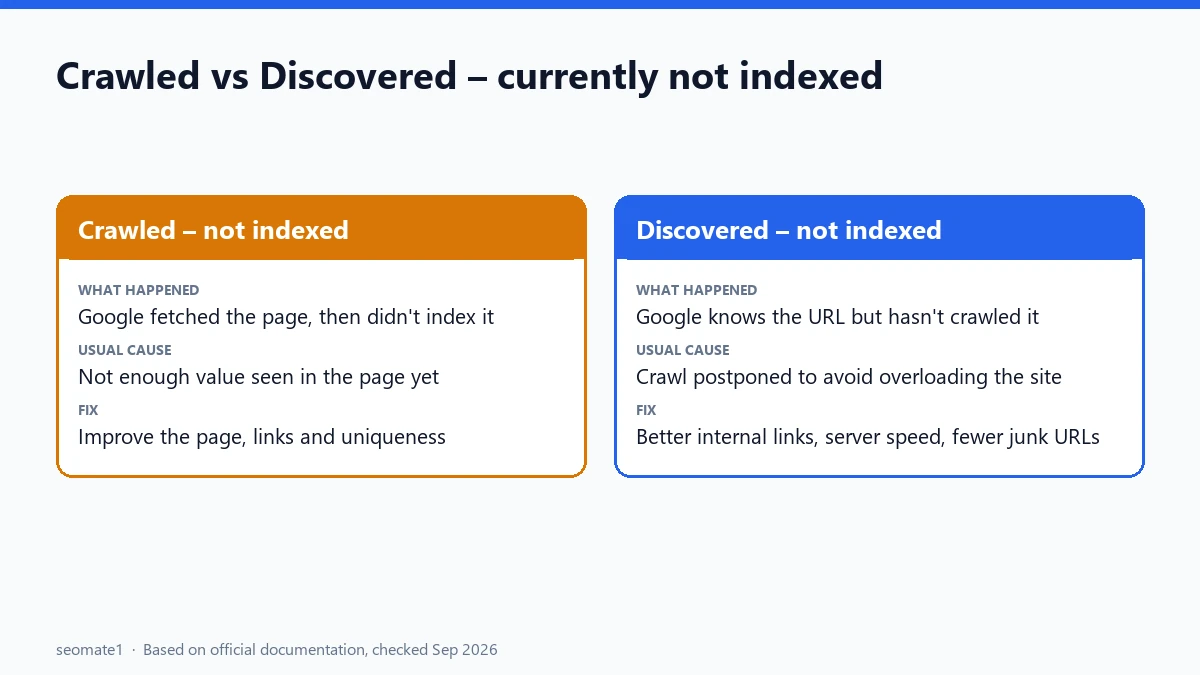
That last part matters. There’s no technical block to remove. Google saw the page and decided, at least for now, not to add it to the index. It’s often confused with a different status:
| Status | What happened | Usual cause |
|---|---|---|
| Crawled – currently not indexed | Google fetched the page, then didn’t index it | Google doesn’t see enough value in the page yet |
| Discovered – currently not indexed | Google knows the URL but hasn’t fetched it | Google postponed the crawl, often to avoid overloading the site |
What each validation status means
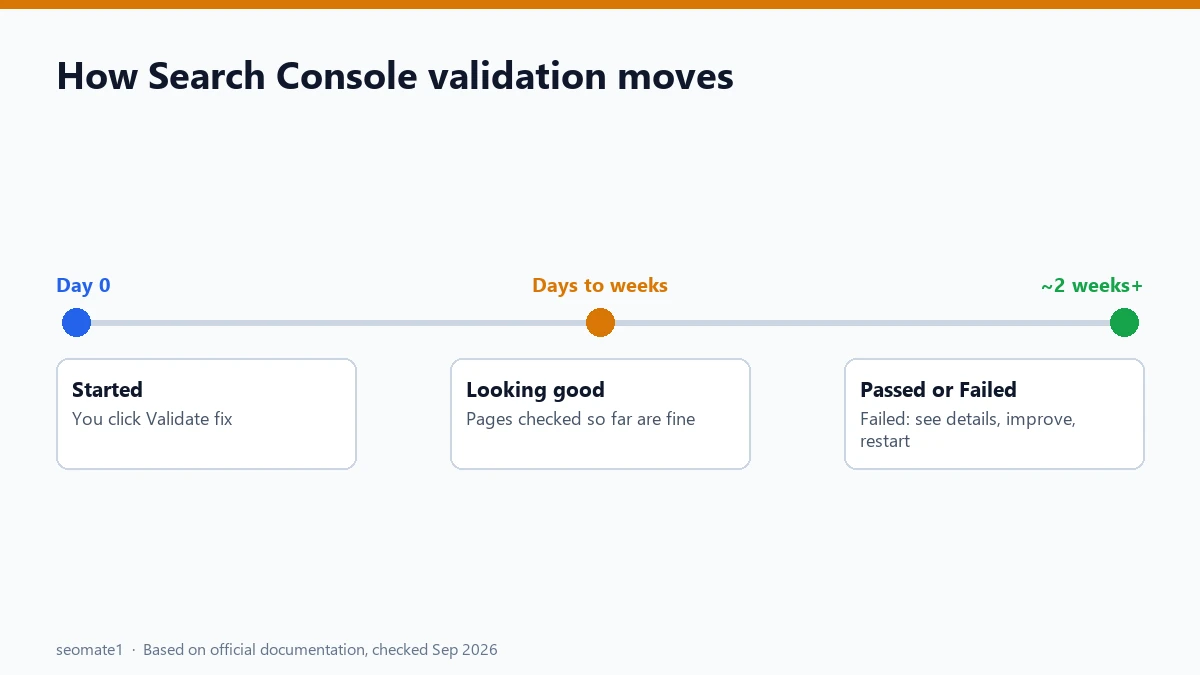
When you click Validate fix, Search Console tracks the pages through a set of states. Here’s what each one means, based on Google’s help page:
| Status | Meaning | What to do |
|---|---|---|
| Not started | You haven’t started validation | Nothing, unless you’ve made improvements |
| Started | Google is checking the pages. No failures so far | Wait. This can take weeks |
| Looking good | The pages checked so far no longer have the issue | Keep waiting |
| Passed | No known pages still have the issue | Done |
| Failed | Enough pages still have the issue for validation to fail | Open the details, improve the pages, restart |
| Other | Google couldn’t reach the URL | Treated the same as Passed |
Why validation gets stuck on this issue
With a real error, like a 404 or a noindex tag, validation is quick. You fix the page, Google recrawls it, and the error is gone. “Crawled – currently not indexed” is different. Google has to recrawl each page and decide it now deserves a place in the index. Four things commonly slow that down:
- No change that Google would notice. If you started validation without improving the pages, Google will crawl them again and reach the same decision.
- The pages are thin or duplicated. Tag pages, short posts, near-identical product variants, or pages that say what other pages already say.
- The pages are hard to reach. Pages with few or no internal links look unimportant, and Google may take a long time to recrawl them.
- The site is new or small. Our reading, not a documented rule: new sites often see this status on many pages while Google works out which ones matter.
What to check before you click “Validate fix” again
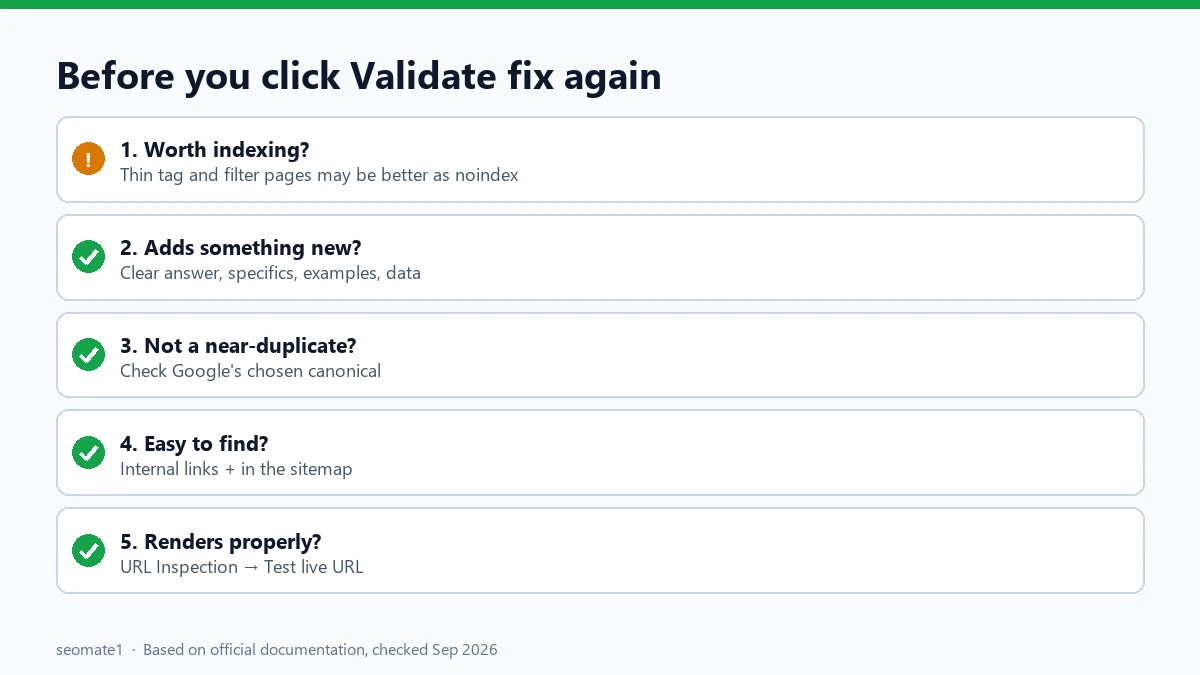
Work through this list for the pages in the report:
1. Is the page really worth indexing?
Be honest. If a page exists only for navigation (a thin tag page, a filtered listing, a print version), it may be better to leave it unindexed, or add noindex, rather than validate it.
2. Does it add something new?
Compare it with the top results for its main query. If yours says the same thing in fewer words, improve it. Add a clear answer, specifics, examples, or data others don’t have.
3. Is it a near-duplicate of another page?
Check with the URL Inspection tool which canonical Google chose. If two of your pages cover the same thing, merge them and redirect one to the other.
4. Can Google find it easily?
Link to it from relevant pages on your site, using natural anchor text. Make sure it’s in your XML sitemap. A page that’s only reachable through the sitemap sends a weak signal.
5. Does it load and render properly?
Use URL Inspection → Test live URL and view the rendered page. If the main content loads late through JavaScript, or is hidden behind a click, Google may not see it.
How to restart validation after it fails
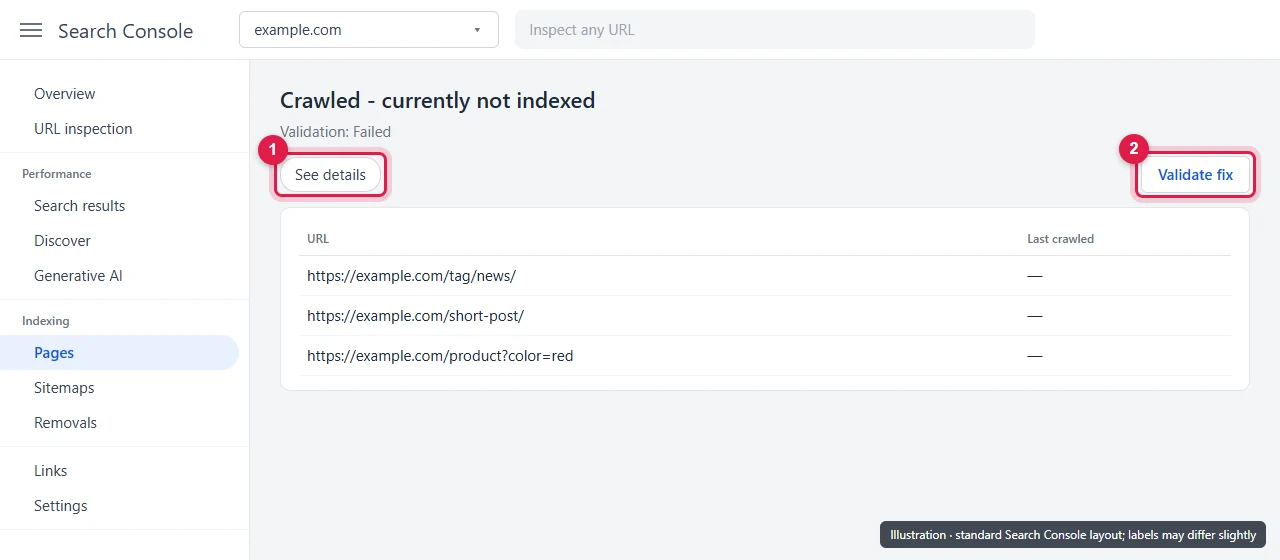
Google’s help page describes the process:
- Open the issue in the Page indexing report.
- Click See details to find which URLs caused the failure.
- Improve those pages, and check the others in the list.
- Click Validate fix again to restart.
Restarting doesn’t reset anything bad. It just starts a new check.
When the report and URL Inspection disagree
Sometimes a URL shows as Crawled – currently not indexed in the report, but URL Inspection says it’s on Google. This usually isn’t an error. The Page indexing report is updated less often, and shows at most 1,000 example URLs, while URL Inspection shows the current status of a single page. Trust URL Inspection for individual pages.
Common mistakes
- Requesting indexing over and over. Google says there’s “no need to resubmit this URL for crawling”. Repeated requests don’t change its decision.
- Validating pages that shouldn’t be indexed. Thin tag and filter pages are better left alone or set to noindex.
- Changing a few words and expecting a pass. Small edits rarely change how Google values a page.
- Panicking about the count. Some pages in this report are normal on almost every site.
FAQ
How long does validation take for Crawled – currently not indexed?
Google says validation “typically takes up to about two weeks, but in some cases can take much longer”. For this issue, it often sits at “Started” for weeks because each page has to be recrawled and re-evaluated.
Do I have to click Validate fix?
No. Google says it can detect fixed instances “even if you never click Start validation”. Validation is mainly useful for tracking your progress.
Will adding more pages to my sitemap help?
Only if those pages are worth indexing. A sitemap helps Google find pages, but it doesn’t make Google index pages it thinks are low value.
My pages are indexed now, but get no visits. Why?
Indexing is only the first step. Check whether the pages get impressions in the Performance report. If they get clicks but GA4 shows no visits, compare Search Console clicks with GA4 sessions to find tracking problems.
Is this status a penalty?
No. It’s a normal indexing decision, not a manual action. Manual actions appear in their own report in Search Console.
Last checked against Google’s documentation on 24 September 2026.
Make it easier to find our SEO, AI search and digital marketing coverage in Google.

Nadir Yaqoob
Nadir Yaqoob is the administrator and SEO contributor at SEOMate1, covering SEO, AEO, GEO, AI search, software, and digital marketing. I write practical, research-driven content on search strategies, emerging technologies, and digital workflows to help businesses improve their online visibility and growth.